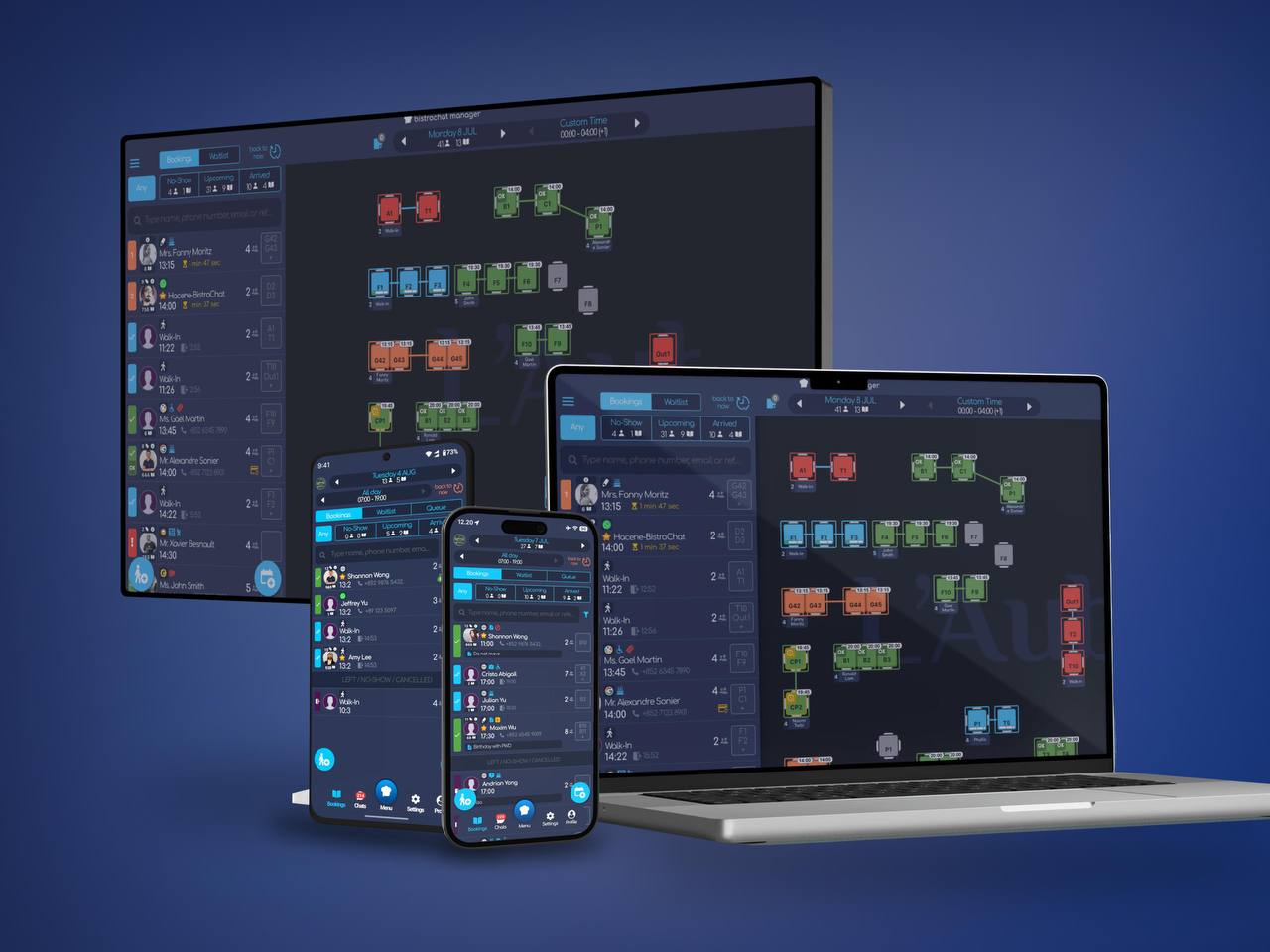
Bistrochat's table management and reservation platform is now available as a native desktop app, running on Windows, macOS (Intel), and macOS (Apple Silicon / M-series chips). It joins the existing iOS and Android apps, so the same bookings dashboard, waitlist, and table map your team already knows now lives on every device your restaurant uses — from the host stand tablet to the manager's office computer.
Why a Desktop App for Restaurant Management
Most of a restaurant's day-to-day booking work happens on a phone or tablet at the host stand. But a lot of the planning work — building the floor plan, reviewing the week's covers, checking guest history before a VIP reservation, reconciling no-shows — happens sitting down, at a real screen, often before or after service. Until now, that meant opening a browser tab. The desktop app makes it a proper application: it opens instantly, keeps running in the background, and doesn't get lost between browser tabs during a busy shift.
What's the Same, What's Better
The desktop app is the same Bistrochat manager experience your team already uses on mobile — bookings, waitlist, live table map, guest profiles, and walk-in tracking — rebuilt as a native app for a bigger screen:
- Full table map at a glance. See the entire floor plan, every section, every table status, without pinching and scrolling.
- Faster multi-tasking. Keep Bistrochat open in its own window alongside email, POS reports, or a spreadsheet — no more re-finding the browser tab.
- One dashboard, every device. Reservations, notes, and guest tags made on desktop sync instantly to the tablets at the host stand and the phones your team carries on the floor.
- Built for the back office as much as the front of house. Managers reviewing tomorrow's covers or a VIP's dining history now have a dedicated app instead of a bookmarked webpage.
Available Platforms
The Bistrochat desktop app now runs natively on:
- Windows
- macOS (Intel-based Macs)
- macOS (Apple Silicon — M1, M2, M3 and later)
This is in addition to the existing iOS app for iPhone and iPad, and the Android app used by host stands and floor staff worldwide. Whichever device a member of your team reaches for, the booking data behind it is the same, in real time.
Getting Started
Existing Bistrochat customers can install the desktop app and sign in with the same account already used on mobile — no new setup, no data migration, no change to how reservations, waitlist, and table management already work. If your restaurant hasn't onboarded with Bistrochat yet, get in touch with our team to get set up across desktop and mobile from day one.
Frequently Asked Questions
Does the desktop app work with Apple Silicon Macs (M1/M2/M3)? Yes. The desktop app has native builds for both Intel-based Macs and Apple Silicon Macs, as well as Windows.
Do I need a new account to use the desktop app? No. Sign in with your existing Bistrochat account and your bookings, waitlist, and table map are immediately available.
Will data stay in sync between desktop and the mobile apps? Yes. Desktop, iOS, and Android all read and write to the same live Bistrochat data, so changes made on one device appear instantly on the others.
Is the desktop app a replacement for the mobile app at the host stand? No — it's an addition. The mobile apps remain the best fit for the host stand and floor staff; the desktop app is built for planning, reporting, and back-office work on a full-size screen.