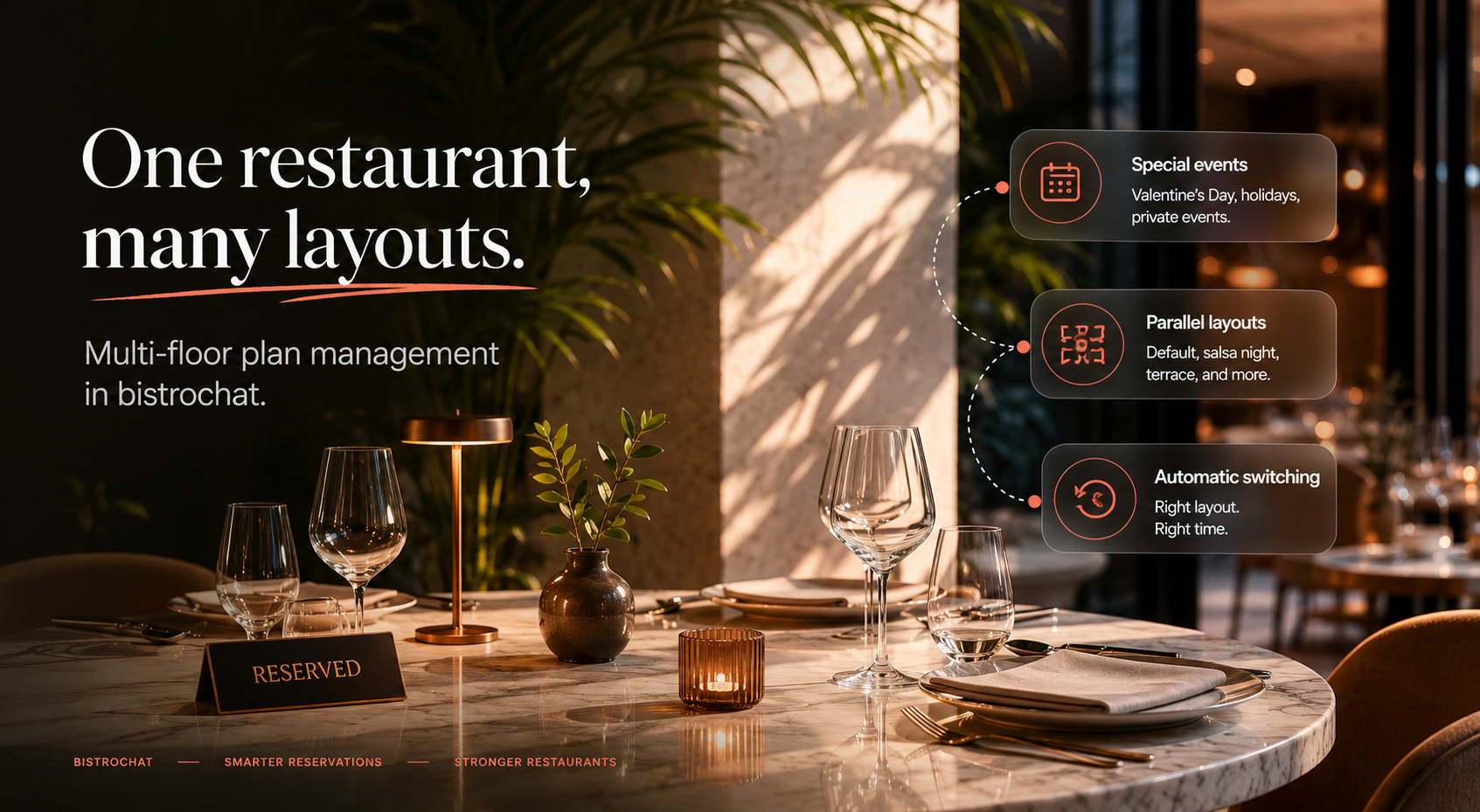
Multi-Floor Plan Management in bistrochat: One Restaurant, Many Layouts
Most restaurants don't have one floor plan. They have several — they just don't realize it yet.
The Tuesday you clear the center of the room for salsa night is a different floor plan than your Saturday service. The Valentine's Day where every table becomes a two-top is a different floor plan again. The summer evening you open the terrace is yet another. Each one has its own table count, its own shape, its own revenue logic.
bistrochat's multi-floor plan management is built for exactly this. Instead of one fixed layout you reshuffle by hand every time something changes, you keep multiple floor plans on file and let the system apply the right one automatically — for a specific date, a recurring event, or a special service.
What is multi-floor plan management?
Multi-floor plan management (also called multi-layout management or running parallel floor plans) is the ability to define and store more than one table layout for the same venue, and have your reservation system know which layout is active on any given day or shift.
In bistrochat you keep a default floor plan for normal service, plus as many event floor plans as you need. You don't overwrite anything. Your everyday layout stays intact while your special-occasion layouts live alongside it, ready to activate on schedule.
This matters because your table layout is your revenue model. Change the layout and you change covers, average spend, table-turn timing, and the kind of guest you can seat. A system that treats your floor plan as a single static thing is quietly costing you bookings on every non-standard night.
Why a single fixed floor plan holds you back
If you only have one layout, every special occasion turns into manual work and lost cover potential:
- You drag tables around the booking system by hand, hoping you remember to put them back.
- Your online availability shows the wrong number of seats, so guests either can't book or you accidentally overbook.
- Two managers set up the room two different ways on two different nights.
- You can't easily compare how a layout performed, because there's nothing to compare it to. A purpose-built restaurant floor plan software layer removes all of that. The layout becomes a setting, not a chore.
Real example: a Valentine's Day floor plan that maximizes couples and revenue
Valentine's Day is the clearest case for switching layouts. Your normal mix of two-tops, four-tops, and large communal tables is wrong for a night that is almost entirely couples.
With bistrochat you build a dedicated Valentine's Day floor plan:
- Break larger tables into intimate two-tops to fit more couples into the same square footage.
- Add a few extra deuces in space that's usually walkway or buffer.
- Tighten the layout to support two seatings instead of one, so the same room earns twice in an evening. Because it's saved as its own floor plan, you set it once. On February 14 the system serves that layout to your online booking page, your host stand, and your reservation grid — then reverts to your default plan on February 15 with nothing to undo. You've maximized couple seating and revenue without re-engineering the room under pressure on the day.
Real example: a salsa night floor plan with tables removed
Recurring events are the other big use case — and they pull in the opposite direction.
Take salsa night every Tuesday. You don't want more tables; you want fewer. You need a dance floor.
In bistrochat you create a salsa night floor plan where the center tables are removed entirely, perimeter seating is preserved, and total covers are intentionally lower. Then you set it to recur every Tuesday. The system:
- Applies the reduced layout automatically each Tuesday.
- Shows guests the correct (smaller) availability when they book a Tuesday, so you never sell a table that doesn't exist that night.
- Switches back to your default plan on Wednesday — no one has to remember to "reset the room." That's two completely different revenue models — a packed Valentine's room and a stripped-back dance night — running on the same venue, handled by the same system, without anyone manually rebuilding the floor.
How parallel floor plans work in bistrochat
The core idea is that your floor plans run in parallel, not in sequence. You're never editing one master layout back and forth. Instead:
- Default floor plan — your standard, everyday service layout.
- Event and special-day floor plans — Valentine's, salsa night, large terrace days, private buyouts, holiday menus, anything with a different table arrangement.
- Automatic switching — each event plan is tied to a date or a recurring schedule, and bistrochat activates the right one and reverts afterward on its own. Because availability is driven by whichever plan is active, your online bookings always reflect the real room for that specific day. No manual edits, no overbooking, no forgotten reset.
The benefits of multi-layout management
- Protect revenue on every kind of night. Optimize couple seating for Valentine's, dance space for salsa night, and standard covers in between.
- Eliminate manual setup. Build each layout once; the system handles the rest.
- Keep online availability accurate. Guests see the true seat count for the date they're booking.
- Stay consistent across staff and shifts. The layout is defined in the system, not in someone's memory.
- Compare performance by layout. Because each plan is distinct, you can see what actually works.
Frequently asked questions
Can a restaurant have more than one floor plan in bistrochat? Yes. bistrochat supports multiple floor plans for a single venue — a default layout for normal service plus unlimited event-specific layouts that run in parallel.
Does bistrochat switch floor plans automatically? Yes. You tie each event floor plan to a date or a recurring schedule (like every Tuesday), and bistrochat applies it automatically, then reverts to your default plan afterward.
Can I make a floor plan with fewer tables for events like a dance night? Yes. You can remove tables to create open space — for example, a salsa night layout that clears the center for a dance floor — and the system shows guests the correct reduced availability for those dates.
Can I create a Valentine's Day layout to fit more couples? Yes. You can build a layout of two-tops to maximize couple seating and support multiple seatings, then activate it only on Valentine's Day to increase covers and revenue.
Will online bookings reflect the active layout? Yes. Availability is driven by whichever floor plan is active on a given day, so your online booking page always matches the real room.
One venue, every occasion
Your restaurant isn't the same room every night, so your floor plan shouldn't be either. With multi-floor plan management in bistrochat, you set up your default layout, design dedicated plans for events like Valentine's Day and salsa night, and let the system run them in parallel and switch on schedule.
Build the room once for each occasion. Let bistrochat handle the rest.